












100% Views as in MS Project
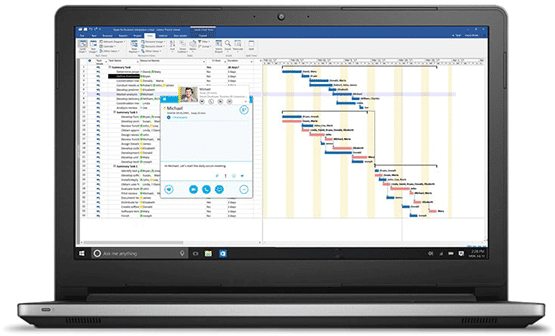
Seavus Project Viewer is the most accurate viewer for .mpp files with a display of project data as seen in MS Project. It supports more than 27 views as well as unique user-defined views.

93% Faster than Competitors
This Microsoft Project Viewer possesses superior quality among other project viewing applications. Stands out in speed, quality, and provides a most accurate display of data in all project plans.

91% Customer Retention
With an experience of nearly two decades on the market, more than 6 million satisfied users with two-thirds of companies listed on the Fortune 500 list use our software to view MPP files.

Multi-language Support
Seavus Project Viewer is available in 11 different languages including: English, German, French, Spanish, Czech, Japanese, Chinese, Russian, Dutch, Polish and Italian.

Dedicated Support Team
For any questions about installing or troubleshooting with Seavus Project Viewer, our experienced support team is dedicated to providing the highest quality support and assistance.

Save Big on Volume Purchase
Deployed to all company personnel, it allows view access to project plans at a great price as the cost for individual license is equal to a fraction (10%) of the individual MS project license!

Since most of our users need to open very large .mpp files from time to time, it was an important part of our evaluation and one that Seavus Project Viewer was able to accomplish with no problems.

There might have been a big lost because of the poor productivity if we reduce the number of MS Project licenses to purchase. But thanks to Seavus Project Viewer, we could reduce the license cost and improve productivity at the

Since most of our users are familiar with Microsoft Project, we wanted a project viewer that looked and worked as close as possible to Microsoft Project, but at a fraction of the cost.

I want to thank you for the quick and thorough response This is just a little thank you and compliment to the Seavus Customer Support agent as well as to the sales person I contacted with: I want to thank

We needed a tool to supplement our company's need just to view and open project files created by project managers with Microsoft Project. We wanted to deploy a lightweight Project Viewer software application that met our company needs and could

It is great to work with Seavus Project Viewer, very user friendly, and for a lower price then other viewers. It has exactly the same view as Microsoft Project Viewer, and some other features that allow me to configure my

I tried many Microsoft Project viewers before using Seavus Project Viewer, but none of them could display the usage views properly. I found it perfect in terms of viewing .mpp files at acceptable price levels. It is an application with

We wanted a project reader which looked as much as possible as the MS Project version, but at a fraction of the price. Seavus Project Viewer was from our point of view the one which could answer this need. The

Task Update Collaboration Add-in
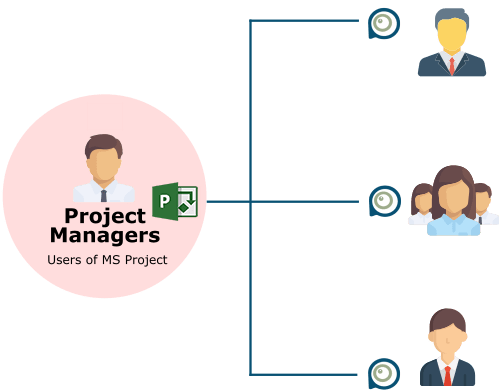
The Task Update Add-in allows users to update the status of their assigned project tasks. On the other end, it also allows Project Managers to get real-time updates on each team member's tasks status. It is a unique feature that greatly improves project communication in the enterprise.